
Premium broadcast graphics, without the enterprise complexity.
Every tool and workflow a professional broadcast needs for on-screen graphics, in one system. Design in airZ Editor, run the show in airZ Controller, play it to air on airZ Engine: lower thirds, tickers, scoreboards, election nights and touch-screen graphics, from one file that travels from the designer’s desk to the program output.
Everything a professional broadcast needs, in one system
From the designer’s first sketch to the program output, every step of on-screen graphics is covered by three products that work as one. No second vendor to integrate, and no gap to bridge.
- Design
Artwork, animation, 3D and interactive graphics, starting from your own Photoshop, vector and 3D files.
 airZ Editor
 - Live data
Scores, results, prices and headlines from SQL databases, spreadsheets, web APIs, RSS feeds and web pages.
 airZ Controller
 - Newsroom
A web rundown built in, or MOS integration with the newsroom system you already use.
airZ Controller - Control
Rundowns, preview and program, several engines and channels, from a desk, a tablet or a studio touch screen.
airZ Controller - Playout
SDI and NDI in and out, HDR, and video walls across several outputs.
 airZ Engine
 - Touch screens
A presenter drives any scene designed for interaction by touch: on an interactive airZ Engine screen, or through a web link from airZ Controller.
airZ EngineairZ Controller - Video editing
A timeline editor to cut, caption and title clips and export them for air or online.
airZ Controller - Streaming
Stream to up to four destinations at once, YouTube, Twitch, Facebook and more, and record as you go.
airZ Controller - AI assistant
Describe a graphic, and the assistant builds it for you to refine.
airZ Editor
Three products. One chain to air.
Each does one job and hands the same file to the next: the graphic designed in the editor is the graphic the controller runs and the engine plays.
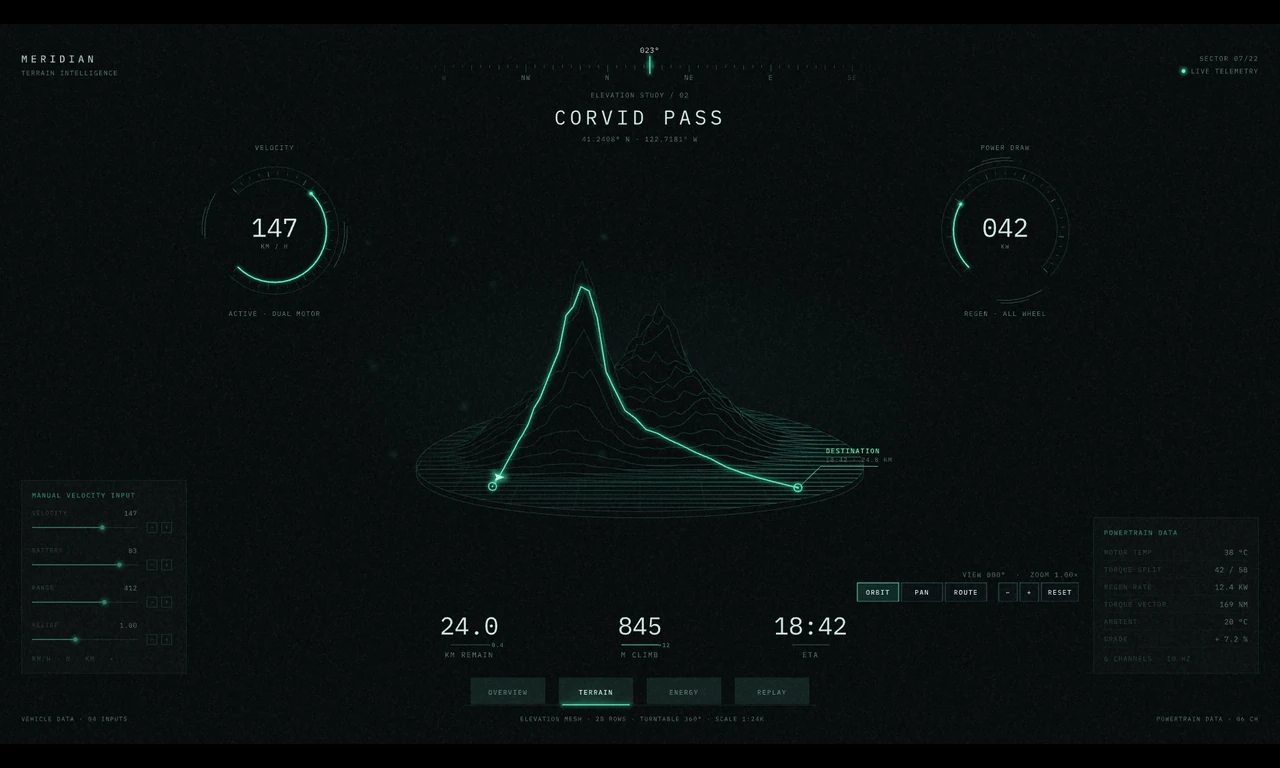 01 · Design
airZ Editor
Where graphics are made: artwork, animation, interactive logic without code, live data, live video and real-time 3D, with an AI assistant that builds from a description.
Explore airZ Editor →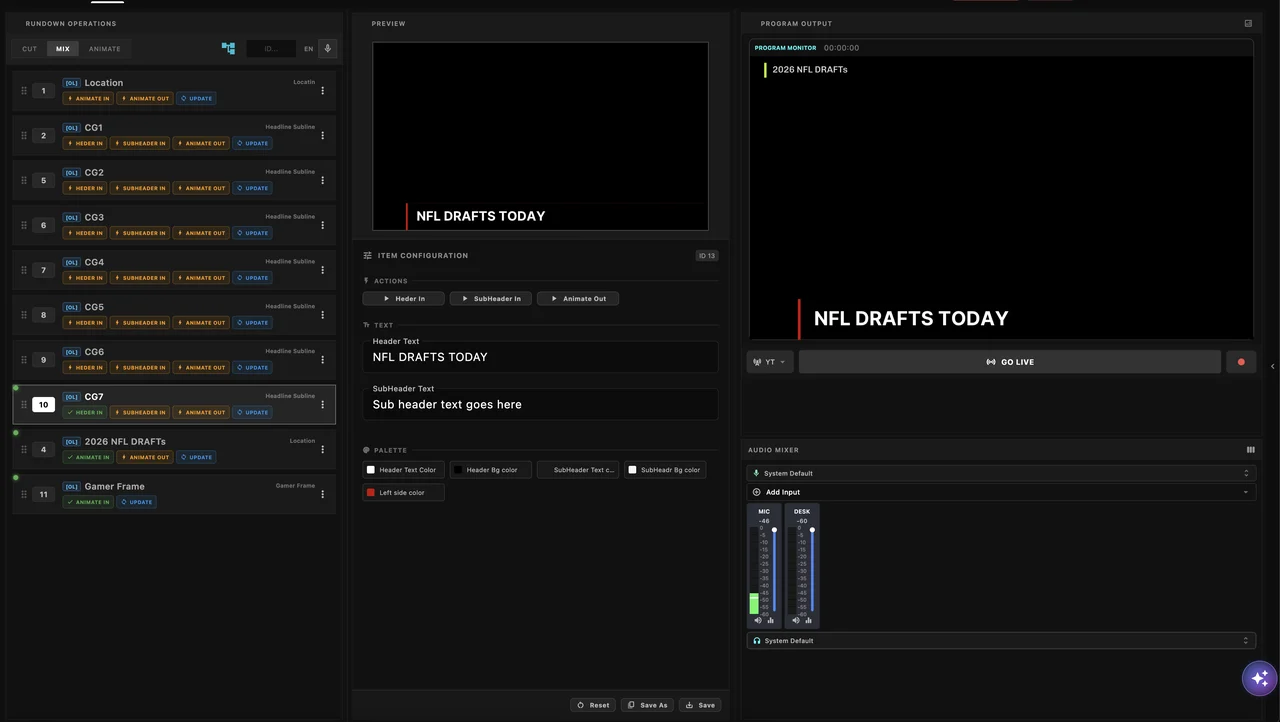 02 · Control
airZ Controller
Where the show is run: the newsroom rundown, templates, the values an operator fills in, take in and take out, preview and program, a video editor, and live streaming.
Explore airZ Controller →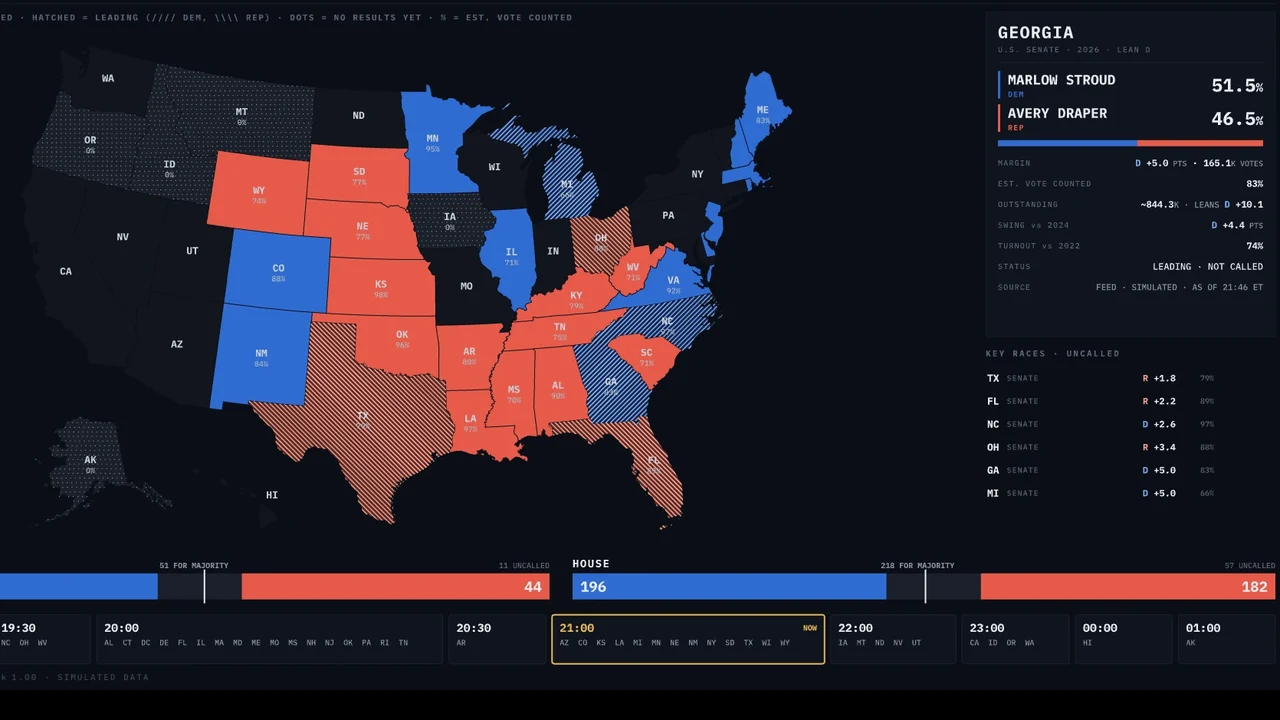 03 · Play
airZ Engine
Where it goes to air: real-time 3D with ray-traced light, SDI and NDI in and out, HDR, and video walls across several outputs, every claim measured.
Explore airZ Engine →Real-time graphics you can take hold of
Not videos: live airZ scenes, running in your browser on the same runtime airZ Engine plays on air. 3D that renders as you turn it, and interactive graphics a presenter drives by touch.


For every kind of programme
News, sports, elections and weather, studio touch screens and real-time 3D: one system for all of them, from a single lower third to a whole election night.
 NewsBreaking news, lower thirds, tickers and explainers
 SportsScoreboards, match clocks, standings and analysis
 ElectionsResults maps, seat counts and swing, live all night
- WeatherForecast maps and severe-weather stories
 Touch screensStudio consoles a presenter drives by touch
 Real-time 3DProducts, logos and sets in 3D, lit in real time
The designer owns the pipeline
In a traditional graphics department, a designer makes the animation and someone else makes it controllable, wires it to data and deploys it. Every change crosses that line. With airZ, it doesn't have to.
Design it once in airZ Editor. Play it on air, on a touch wall, or in a browser.
An airZ graphic is one file. The file you design is the file that plays, wherever it plays: nothing is rebuilt or re-coded between the editor and the screen. Try the election desk, a touch console and live data →
airZ EditorOne scene filedesign, animation, data and interactionOn airairZ EngineLive to SDI and NDI, from a lower third to a video wall, in SDR or HDR.In the studioTouch screensAn interactive airZ Engine screen, or a web link from airZ Controller: the presenter drives the scene by touch, tabs, sliders, maps and 3D.Built for live production, run from anywhere
Presenter-driven graphics on a studio touch screen
The same template runs in a browser as well as on air. A presenter operates the graphic directly on a touch screen, and the program output reflects each interaction as it happens.
One rundown item covers both surfaces. No separate touchscreen system, no second render engine, and no duplicate template to keep aligned.
Operator controls are built by the designer
The designer who builds a template also defines the controls for it: the lists, fields and buttons an operator uses at run time. Controls are laid out visually and bound to the template without scripting.
Template changes do not require engineering support. A template and its operator interface are revised in the same session, by the same person.
Items keep the choice, not a copy of the data
Lists are filled from a database, a spreadsheet, a web API or a feed, and can filter one another: a city, then its districts. A producer picks the subject — a region, a constituency, a team — and the item remembers that choice rather than a copy of the figures.
The figures come from the source. Nobody retypes them into the rundown, and a new choice brings its own data with it.
Control from any device on the network
Each rundown item has a fixed address that opens its operator controls in a browser, on a tablet, a studio touch screen or a workstation. The connection is re-established automatically after a controller restart.
Graphics control is not tied to a single position. A device configured once continues to operate without intervention.
Works with your newsroom, or brings its own
A change in the rundown flows through the whole chain on its own: airZ Controller’s playlist updates, airZ Engine renders the graphic, and its SDI or NDI output reaches the router and the air, with no manual hand-offs.
- LIVE
- PKG
- NEW
- VO
- NEW
A newsroom rundown, built in
airZ Controller includes a web-based newsroom rundown. Journalists, producers and operators work from one shared rundown in their browsers, with a live preview of each graphic, and it updates on every screen as they type. No third-party newsroom system to license: it runs on your studio network.
Write once, sync everywhere
Journalists edit headlines and data in the web rundown. Every change autosaves and updates every newsroom screen instantly — and if a graphic is on air, the text changes live.
One press to air
Operators take a graphic to air with one press, or stage an edit first and take it when the moment comes.

Already have a newsroom system? Connect it over MOS.
MOS is the standard newsroom systems use to share running orders with graphics. airZ Controller’s MOS integration brings your newsroom’s running orders and stories in and puts the graphics back into the story, so journalists keep working where they already work. It runs alongside the built-in rundown, so you can move at your own pace.
- Running orders and stories arrive from your newsroom system
- Graphics travel back into the story
- Works alongside the built-in rundown
Fits into your broadcast facility
Real-time rendering, 2D and 3D
Graphics, 3D and video render live on the graphics card at broadcast frame rate, with ray-traced light where the card supports it.
- Many graphics layers at once
- HDR output as well as SDR
- Video walls across several outputs
- Sharp at any resolution
SDI video input & output
Plugs into an SDI facility: fill and key out, cameras and feeds in, with frame-accurate timing.
- SDI video input and output
- Fill and key workflows
- Frame-accurate synchronization
NDI video input & output
Sends and receives video over the network with NDI, for IP studios and for facilities that mix SDI and IP.
- NDI input and output streams
- Hybrid SDI and IP environments
One template library for every production
Organise your graphics packages in one place and send them to every control room, with each room shown what will change before it does.
- Templates organised by show
- Versions to return to
- Reusable graphics components
- Updates sent to every control room
Controller
Engine
Graphics fed by your data
Fill graphics from databases, spreadsheets, web APIs and feeds, so operators type less and shows run on the latest figures.
- SQL databases (PostgreSQL, SQLite)
- Spreadsheets (CSV, Excel)
- Web APIs (JSON), RSS feeds and web pages
- Lists that filter one another
What airs is what you designed
We measure airZ Engine on its own output: smooth motion, true colour, big walls, clean HDR. Four of the numbers:
Smooth motion with ray-traced 3D at broadcast frame rate (1080p, 59.94 frames a second) over SDI.
The colours a designer picks are the colours that air. Below 1, no eye can tell the difference.
A video wall driven from one scene, still without a late frame.
In HDR, the largest error is a tenth of the smallest step the signal can show.
Measured live on airZ Engine with an NVIDIA RTX A4500, playing scenes made in airZ Editor. How we measure →
A video editor, built in
airZ Controller comes with a timeline video editor: cut, caption and title clips, grade them, mix their sound, and export them for air or online, in the same system, without another application or another licence.
Describe a graphic, and the assistant builds it
The AI assistant in airZ Editor builds a graphic from a description: the artwork, the animation, the logic and the data, step by step in your document, where you can change anything it made.
- Plain-language requests
- Works from your reference pictures and fonts
- Checks its own result and fixes what it sees
- Every step can be undone
See airZ run your next broadcast
Every tool and workflow a broadcast needs for on-screen graphics, from design to air, in one system, at a total cost of ownership traditional systems can't match.